
Treat the old site as an operating asset, not a rough draft
You are halfway through a redesign when somebody suggests cleaning up the URLs. The old structure feels awkward. Service pages sit in the wrong folders. Blog posts use dates or internal category names. The new navigation would be simpler if everything moved.
Sometimes that is the right decision. Usually, it is the wrong place to start.
A live website has accumulated search visibility, links, bookmarks, internal references and customer habits. Each useful URL is an asset with a history. A redesign can improve the design while leaving that history in place. Once you rename or remove pages, you have created a migration project whether or not anyone called it one.
The practical answer is to preserve SEO continuity by default. Keep URLs that already attract qualified visits, earn links or rank for meaningful searches. Change them only when the new structure solves a real business problem: confusing service separation, duplicated pages, a change in what you sell, or a section that has grown beyond its original purpose.
That is a stronger rule than “never change URLs.” It gives you permission to improve a weak structure without treating every old path as sacred. The burden is simply on the redesign to show why the change is worth the migration risk.
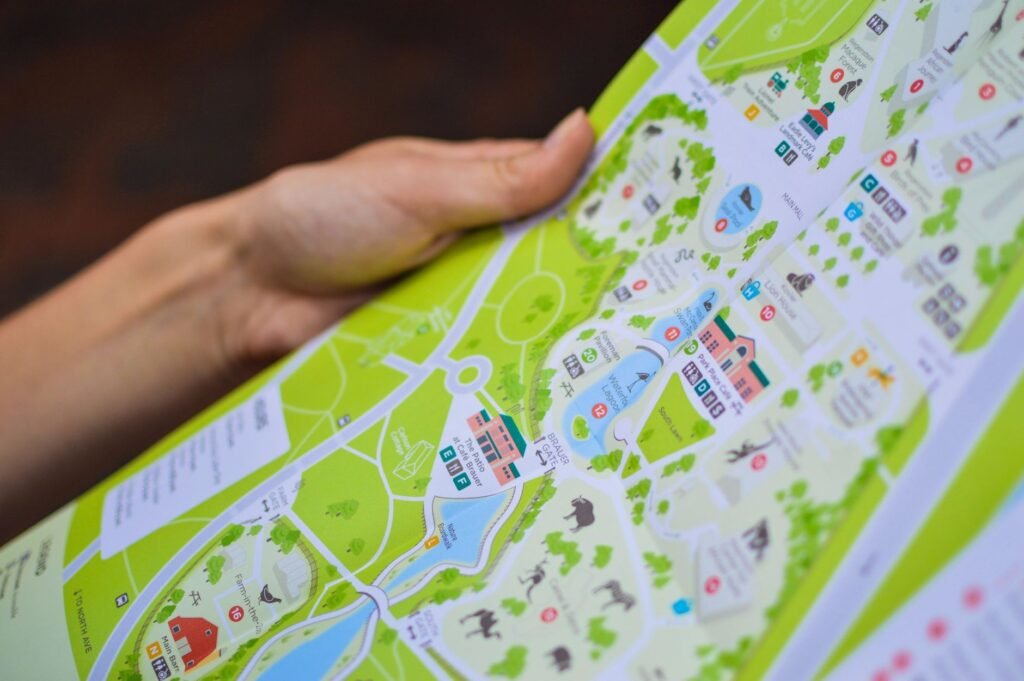
Keeping URLs usually wins. Restructuring wins when the old map misrepresents the business.
| Criterion | Preserve the current URLs | Change the URL and page structure |
|---|---|---|
| Migration risk | Lower. Existing pages, links and bookmarks keep working. (better) | Higher. Every changed URL needs a relevant destination and testing. |
| Clarity for customers | Good when the current structure matches the services. | Better when old categories are confusing or the business has changed. (better) |
| Search continuity | Strongest because the same URL remains the ranking destination. (better) | Can be preserved with accurate permanent redirects, but is not automatic. |
| Long-term maintainability | May retain outdated folders or naming conventions. | Better if the new hierarchy reflects how customers actually choose. (better) |
| Best fit | A redesign, CMS change or visual refresh. (better) | A genuine repositioning, merger, consolidation or major information-architecture repair. |
A redirect transfers a move. It does not make unrelated pages equivalent
Google’s current guidance is reassuring, but it is often quoted too casually. Google says permanent redirects such as HTTP 301 and 308 are a signal that the new destination should become canonical, and that permanent redirects do not cause a loss of PageRank. That means a properly redirected page can carry its accumulated signals to a new location. It does not mean every old page can be sent to the homepage without consequences. (developers.google.com)
The destination still needs to answer the same underlying need. An old page about emergency boiler repair should go to the new emergency boiler repair page, not the general plumbing page because that is the closest item in the menu. Google specifically warns against sending many unrelated old URLs to one destination. That pattern can confuse visitors and may be treated as a soft 404. (developers.google.com)
This is the part that makes URL continuity valuable. A redirect is not a magic preservation switch. It is a piece of evidence in a larger handoff involving content, internal links, canonicals, sitemaps and page purpose. If the redesign removes the useful answer as well as changing its address, the redirect has very little to preserve.

Map the old site before designing the new one
-
Export the old URL inventory
Use the current sitemap, analytics, Search Console, backlink data and a crawl of the live site. Include pages that receive visits or links even if they are not in the navigation.
-
Mark each URL’s job
Record its organic clicks, important queries, conversions, backlinks, index status and role in the customer journey. A low-traffic page can still support a valuable service page through internal links.
-
Choose keep, merge, redirect or retire
Keep strong pages where they are. Merge genuinely overlapping pages into one better answer. Redirect changed pages to their closest equivalent. Retire pages with no useful replacement only when a proper 404 or 410 is the honest response.
-
Build the new structure around customer decisions
Use the new sitemap to clarify services, locations, products and supporting content. Do not create folders merely because they look tidy in a diagram.
-
Test before launch
Crawl the staging site, check canonicals and indexability, test the redirect map, inspect internal links and confirm that important content is present in the rendered page.
-
Monitor the handoff
Submit the new sitemap, watch Search Console for indexing and crawl errors, and compare organic clicks and customer actions with the pre-launch baseline.
The numbers show why “we can fix it later” is an expensive plan
Practitioner evidence is consistent on the main point: redesign damage usually comes from several changes arriving together. URLs disappear, content gets shortened, internal links are rebuilt, metadata is lost, or the new platform accidentally blocks crawling. A URL change may be the visible event, but the loss often comes from the whole handoff being incomplete.
Ahrefs reports one redesign example in which deleting about 15% of the site’s organic pages was followed by an almost 50% fall in organic traffic. That is a case study, not a universal forecast, but it illustrates the danger of treating low-volume pages as disposable. Some of those pages may rank for long-tail searches, attract links or strengthen the internal structure around higher-value pages. (ahrefs.com)
Seer Interactive describes a redesign and CMS migration where traffic fell 26% after the launch. Its subsequent technical work produced a 125% increase in organic traffic and a 30% year-over-year increase in organic revenue. The lesson is not that every migration will rebound. It is that a traffic drop after launch should trigger diagnosis of redirects, crawlability, URL coverage, internal links and content, rather than an immediate conclusion that the new design failed. (seerinteractive.com)
There are upside cases too. An Ahrefs case study reports that a carefully planned consolidation improved content, internal linking and crawl efficiency, eventually doubling organic traffic and adding more than 16,000 ranking keywords. That result followed months of preparation and a migration that unfolded over a longer period. It is evidence that restructuring can be worthwhile when it improves the underlying site, not evidence that changing URLs is itself an SEO tactic. (ahrefs.com)

What the reported cases actually show
Ahrefs, “How to Avoid Ruining SEO During a Website Redesign.”
Ahrefs, “How to Avoid Ruining SEO During a Website Redesign,” described as an almost 50% loss.
Seer Interactive, “Website Migration Support Leads to 126% Increase in Traffic.”
Seer Interactive, same case study, year-over-year result.
Seer Interactive, same case study; the page headline rounds this to 126%.
Preserve what earns attention, then improve what earns the business
The most useful pre-launch question is not “Which URLs look cleaner?” It is “Which parts of the current site are doing work that the new site must not lose?”
For a local business, that may be separate pages for kitchen remodeling, bathroom remodeling and emergency repairs. For a professional firm, it may be a set of narrowly focused service pages that each answer a different buying question. For an online store, it may be category and product URLs that attract searchers before they know the brand. The right structure depends on how customers search and decide, not on whether the URL contains the preferred folder name.
Measure outcomes beyond sessions. Organic clicks matter, but calls, form submissions, booked appointments and direction requests are closer to the business result. That is the same reason it is worth measuring the customer action when Google finishes the search, as discussed in When Google Finishes the Search, Measure the Customer Action. A redesign that loses a little low-intent traffic while improving qualified enquiries may be healthy. A redesign that loses the pages generating calls is not.
After launch, expect some fluctuation. Google says medium-sized sites may take a few weeks or more for the new URLs to replace the old ones, with larger sites often taking longer. Keep redirects in place for at least one year, update internal links and submit the new sitemap. Those are not optional finishing touches. They are part of the migration itself. (developers.google.com)
The redesign should earn the right to change the map
A new visual identity is not a reason to discard old URLs. A new content-management system is not a reason either. If the existing structure is serviceable, keeping it lets the team spend its risk budget on better copy, clearer calls to action, faster templates and a more useful customer journey.
Change the structure when it fixes something real. Then do the unglamorous work: inventory the old pages, map each valuable URL, preserve equivalent content, redirect directly, update the internal links and watch both search data and customer actions after launch.
That is how much SEO continuity is worth preserving: as much as the current site has genuinely earned. Keep the assets that work. Improve the parts that do not. Make every departure from the old structure explain itself.
