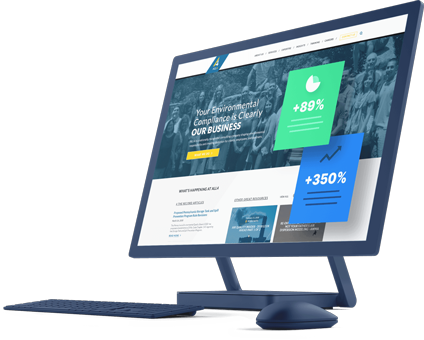

Creating a homepage that clearly guides visitors through your site without confusion is the cornerstone of effective web design for business owners using WordPress and Elementor. The best design removes guesswork for your audience, showing them exactly what action to take next. Yet many entrepreneurs settle for generic website templates or cluttered layouts that leave visitors uncertain, causing missed opportunities and lower conversions.
In this guide, you’ll get a step-by-step framework to build a homepage structure that channels your traffic smoothly — from curiosity to commitment. By focusing both on design clarity and subtle marketing cues, you create a homepage that converts, supports local SEO, and fits perfectly within your site strategy.
The Core Challenge: Why Homepage Confusion Kills Momentum
When visitors land on your homepage, your goal is fast clarity. If they cannot answer these questions within seconds, they’ll leave:
- What is this site or business?
- What's the key benefit or solution offered?
- What should I do next?
Too often, site owners rely on fancy design or overly broad messaging, which backfires. Especially using popular website templates, the layout may be pretty but not purposeful. Or the homepage becomes a subscription website style with multiple CTAs competing for attention, which overwhelms rather than engages.
Avoid These Common Mistakes
- Cluttered sections: Too many unrelated elements create cognitive overload.
- Weak or generic CTAs: “Contact us” without context leaves visitors wondering why.
- Below-the-fold key info: Essential messages or buttons hidden too far down lose visibility.
- Ignoring local SEO relevance: Not addressing local search intent can reduce qualified leads.
Understanding these pitfalls is the first step toward a strategic homepage that works.
Building Blocks of a High-Converting WordPress Elementor Homepage
1. Start With a Compelling, Clear Headline
Your headline must instantly communicate your unique selling proposition (USP). Avoid jargon. State clearly who you help and how. For example:
> “Helping Local Businesses Transform Customer Engagement with Custom WordPress Solutions”
Use Elementor's typography controls to make this message prominent and readable.
2. Support with a Persuasive Subheadline or Tagline
Expand on the headline with a single sentence that addresses key pain points or value. This enhances the visitor's understanding and keeps them scrolling.
3. Incorporate a Primary Call to Action (CTA) Above the Fold
The CTA should be action-oriented, specific, and immediately visible without scrolling. Examples:
- “Get Your Free Website Audit”
- “See Our Portfolio”
Buttons in contrasting colors work best. Elementor lets you customize hover effects and button shapes to increase CTR.
4. Use Visually Clear, Purposeful Imagery or Video
Real images of your team, clients, or your service in action create trust. Avoid abstract stock photos that confuse visitors about your brand.
5. Showcase Key Benefits or Services in Sections That Flow Naturally
Break down complex info into digestible blocks aligned with the visitor's decision journey. Use Elementor’s column and spacing features for readability.
6. Include Social Proof and Credibility Elements
Testimonials, client logos, or brief case outcomes build trust. This section can link naturally to your blog or deeper portfolio pages.
7. End with a Secondary CTA or Contact Option
Catch those who scroll thoroughly with another chance to engage. Examples:
- “Schedule a Consultation”
- “Subscribe to Our Newsletter”
A Practical Checklist to Evaluate Your Homepage Structure
- [ ] Does the headline clearly state the value proposition?
- [ ] Is the primary CTA visible without scrolling?
- [ ] Are visual elements supporting understanding rather than distracting?
- [ ] Is the content segmented logically, guiding visitor eyes smoothly?
- [ ] Are there clear reasons for trust throughout the page?
- [ ] Is local SEO reflected in the text for better search targeting?
- [ ] Does the CTA clearly correspond with your business goals?
Use this checklist as a quick audit after building or redesigning your homepage.
Integrating Local SEO Into Your Homepage Design
For local businesses, your homepage isn't just a landing spot but a local marketing asset. Incorporate these elements:
- Business address and service areas clearly stated.
- Keywords naturally integrated into headlines and subheads (e.g., "WordPress web design in [Your City]").
- Structured data markup for local business to help search engines.
Altflex’s approach to fast website creation illustrates how these factors blend seamlessly with Elementor layouts. Learn more about balancing speed and customization in our Fast Website Creation Vs WordPress Templates for Small Business guide.
Leveraging Elementor Tools for Maximum Impact
Elementor offers advanced widgets and features to execute your structure precisely:
- Sticky headers with immediate access to main navigation and CTAs.
- Toggle and accordion sections for condensed FAQs or service summaries.
- Form integrations optimized for lead capture right on the homepage.
- Animation and entrance effects, but use sparingly to avoid distraction.
How to Avoid Overcomplicating Your Homepage With Extra Features
Bonus features like comment plugins (The 8 Best WordPress Comment Plugins Available) or premium hosting options (The Best WordPress Hosting Options for Your Site) are important, but they shouldn’t complicate your homepage message or load times. Prioritize essentials first, then expand.
Final Thought: Align Structure with Your Business Objectives
Your WordPress Elementor homepage must be a strategic asset, clearly choreographing visitor decisions toward your business goal—be it consultation requests, demo bookings, or product purchases. Each section and CTA should serve that goal with precision.
If you're looking to accelerate your site’s performance with a clear, high-impact homepage, explore Altflex’s services for fast website creation that retains customization power and local SEO advantages.
Ready to optimize? Visit Altflex to learn how you can move beyond generic templates and start crafting deliberate, conversion-driven homepages today.